
A Google Search Console MCP is a server that lets Claude Code or Claude Desktop query your Search Console data, including queries, pages, positions, URL inspection and sitemaps, through the Model Context Protocol. You can run one today with a community server or API scripts. You need the Search Console API enabled in Google Cloud and a service account or OAuth user with property access, ideally scoped to webmasters.readonly.
What is a Google Search Console MCP?
A Google Search Console MCP is a server that exposes Search Console API calls as tools Claude can use. You ask for clicks, queries, positions, URL inspection results or sitemaps in plain language. The server sits between an MCP client such as Claude Code or Claude Desktop and the Google Search Console API. It reads the same data as the API, nothing more.

I run alloq.digital, a software company from Tyrol, Austria, and build it with Claude Code every day on a Max 20x plan (see my overview of AI coding tools). I wanted Search Console data in the same window as the code, without CSV exports. All examples here come from alloq.digital’s own public site in September and October 2026.
My Search Console MCP server exposes eight tools: list_sites, search_analytics, enhanced_search_analytics, detect_quick_wins, index_inspect, list_sitemaps, get_sitemap and submit_sitemap. Those names come from the server I run, not from a standard, so yours will differ. I also keep small Python scripts that call searchAnalytics.query and the URL Inspection API directly from Claude Code. My Claude Agent SDK guide covers how to build agents on top of calls like these.
A GSC MCP adds no data that Search Console lacks. Anonymized queries stay hidden and recent days stay incomplete.
I could not verify an official, Google-maintained Search Console MCP server as of 2026-10-04 (no Google source found). Every server I found comes from community developers.
How I connect Search Console to Claude
You need three things in place before any MCP server or script can connect Search Console to Claude:
- A Google Cloud project.
- The Search Console API enabled in that project.
- An identity with access to the property: a service account (Route 1) or an OAuth user (Route 2).
The property identifier often trips people up. A domain property uses the format sc-domain:example.com. A URL-prefix property uses the full URL, such as https://example.com/. A wrong format commonly causes empty results or permission errors, so check it against Google’s API reference. Google’s Search Console API documentation on developers.google.com has the current click paths.
Route 1: service account (what I use)
I use a Google Cloud service account that I add as a user to the Search Console property, with read-only scope:
- In Google Cloud, create a service account in the project where you enabled the Search Console API.
- Create a JSON key for it and store the file outside every repository.
- In Search Console, open Settings, then Users and permissions, and add the service account email as a user.
- Request only the webmasters.readonly scope in your server or script.
Step 3 is easy to skip. Without it, the API returns permission errors even though you enabled it correctly.
A service account suits Claude Code because no browser consent or token refresh sits in the loop, and it works for scripts and MCP servers alike.
Route 2: OAuth and the Claude config
OAuth works with your own Google account. You create an OAuth client in Google Cloud, sign in once with an account that already has property access, and the server stores the tokens locally. OAuth reaches every property your Google account can access, limited by the scope you request; a service account reaches only the properties you explicitly add it to. Google expires refresh tokens of OAuth apps in testing status, and the server then asks for a new sign-in.
A local stdio server typically reads its credentials from an environment variable. In Claude Code you register it with claude mcp add:
claude mcp add search-console \
  -e GOOGLE_APPLICATION_CREDENTIALS=/secure/path/gsc-key.json \
  -- <command that starts your server>
Claude Desktop reads the same structure from claude_desktop_config.json:
{
  "mcpServers": {
    "search-console": {
      "command": "<command that starts your server>",
      "env": { "GOOGLE_APPLICATION_CREDENTIALS": "/secure/path/gsc-key.json" }
    }
  }
}
The variable name depends on the server, so take it from the server’s README. For the general install pattern in Claude Code, see my list of MCP servers I actually keep installed.
What can Claude ask Search Console for?
Claude can pull anything searchAnalytics.query returns: clicks, impressions, CTR and average position by query, page, country, device and date. It can also inspect single URLs through the URL Inspection API and list or submit sitemaps. Everything beyond those rows is analysis that Claude runs on top of the data Search Console delivers.
Each request maps to an API method and a tool in my setup:
| What you want | API method | MCP tool in my setup |
|---|---|---|
| Queries, pages, countries, devices, dates | searchAnalytics.query | search_analytics |
| Filtered or comparative pulls | searchAnalytics.query | enhanced_search_analytics |
| Quick wins | searchAnalytics.query plus server logic | detect_quick_wins |
| Indexing status of a URL | URL Inspection API | index_inspect |
| Sitemap list and details | sitemaps.list, sitemaps.get | list_sitemaps, get_sitemap |
| Submit a sitemap (write) | sitemaps.submit | submit_sitemap |
| Properties you can access | sites.list | list_sites |
submit_sitemap is the only write tool here, and the security section explains how I handle it. Quotas, row caps and data freshness follow in the pitfalls section.
Search Console workflows I use with Claude
My Claude Code SEO workflows use a clear filter: a position band plus an impression threshold, query x page pairs, or indexing status per URL. A prompt like “improve my SEO” returns confident advice that you cannot verify.
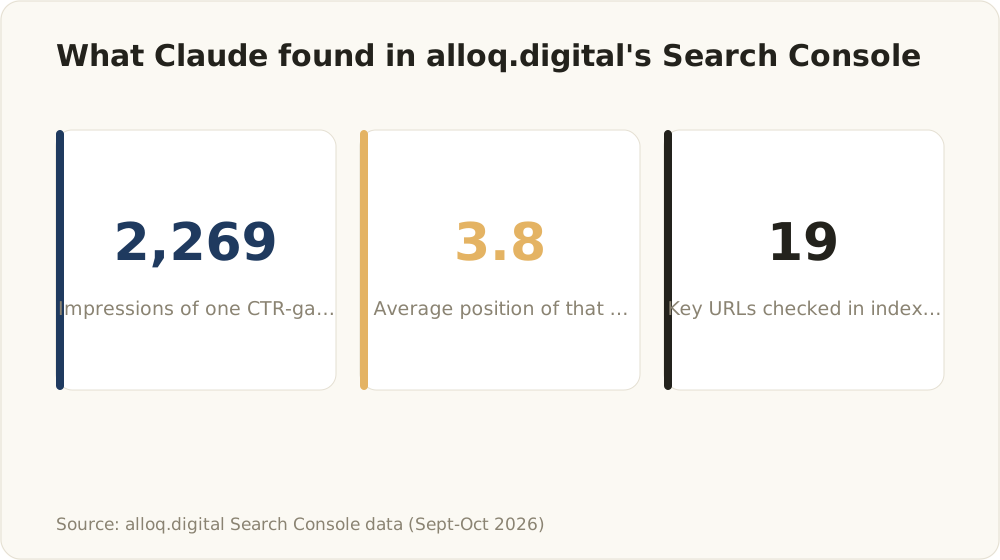
Data from alloq.digital’s own Search Console property, September and October 2026, pulled via MCP server and URL Inspection API scripts.
Striking distance
I define striking distance as pages, or query x page rows, at position 4-15 with 25+ impressions over 7 days, because a small site has few page-two rows. Example prompt:
Pull query x page for the last 7 days. List rows with average position
between 4 and 15 and at least 25 impressions. State exact dates and row count.
Claude calls search_analytics with the query and page dimensions and filters the rows. Check manually that each query matches the intent of its page.
CTR gaps
CTR gaps are rows with high impressions, a good position and almost no clicks. One page on alloq.digital showed 2,269 impressions at position 3.8 for a single odd, long query along the lines of “anthropic claudesdkclient lifecycle and timeouts”. It brought almost no clicks, and the page totals hid it. That is why I analyze query x page, never page totals alone. Example prompt:
Compare query x page for the last 28 days. Show rows with position under 5
and CTR under 1%, sorted by impressions. State exact dates.
Check manually whether the query is a real target before you rewrite a title.
Indexing audit
The indexing audit runs the URL Inspection API on key URLs. My script checked 19 key URLs in minutes and flagged a comparison article as “Crawled - currently not indexed” in Google. The URL Inspection API suits spot checks of key URLs; its daily quota per property rules out full-site audits. Example prompt:
Inspect these URLs with index_inspect. Return coverage state,
last crawl time and Google-selected canonical as a table.
Re-run every flagged URL through a live inspection before you act on it.
Keyword cannibalization
Cannibalization shows up in the query x page dimension. Example prompt:
Pull query x page for the last 28 days. List queries where two or more
URLs get impressions, with position and clicks per URL.
Impressions alone do not prove competition, because two URLs can serve different intents. Check the intent of each URL before you merge or redirect anything.
My weekly Search Console routine
This is my routine on alloq.digital, not a benchmark, and I make no claims about rankings or revenue from it:
- Pull the last 7 days against the prior 7 days, per page.
- List pages at position 4-15 with 25+ impressions as striking distance.
- Check the indexing status of new pages through the URL Inspection API.
- Let Claude propose title and meta changes, which I review and apply myself.
The prompt for step 1:
Compare clicks, impressions and average position per page for the last
7 days against the 7 days before. Use equal-length windows, state both
date ranges and sort by impression change.
Check manually that both windows end on complete days and cover the same weekdays. Otherwise the diff reflects data lag instead of real movement.
Step 4 follows the same read-then-approve pattern that I describe in my Google Ads MCP article. In both cases the model reads and a human makes every change.
Why Claude’s Search Console numbers can mislead you
Search Console data is accurate but easy to misread. Average position can fall while visibility grows, most clicks can come from hidden queries, and recent days are incomplete. Claude explains all of these with confidence, so every number in a Claude Search Console answer needs a check.
These traps show up in real data:
- Average position trap: on alloq.digital, single-day impressions rose from 967 on 19 Sep to 1,957 on 2 Oct 2026, a day that may not be final yet. Clicks stayed at about 4 per day, and average position fell from about 22 to about 36. My hypothesis is long-tail growth, not a ranking loss; stable positions for the core queries would confirm it. A model that reads only the position can invent a penalty.
- Anonymized queries: 29 of 31 clicks of my best-performing article came from queries Search Console does not show. Google’s overview of bulk data export to BigQuery (retrieved 2026-10-04) shows that even the bulk export does not reveal the text of anonymized queries. The sum of query rows will not match the totals.
- Data lag: performance data typically arrives 1-2 days late in my data, so a question about “yesterday” returns incomplete or empty rows. The API parameter dataState distinguishes “all” (includes fresh rows that may still change) from “final” (finalized data only). Tell Claude which value to request.
- Date ranges: a “last month” request can return a 28-day window that does not match the UI total. Make Claude state the exact dates and the number of days for every figure.
- Truncation: the API caps rows per request. Steer large pulls with dimension filters and an explicit row limit, and ask Claude for the row count.
- Hallucinated causes: Claude explains movements it cannot see, such as algorithm updates or competitors. Treat every cause as a hypothesis.
Verify every number in the Search Console UI before you change anything.
Google Search Console MCP options compared
The table compares the options I considered as of 2026-10-04:
| Option | Maintained by | Auth | Write access | Cost | My verdict |
|---|---|---|---|---|---|
| Official Google server | None verified | - | - | - | Not an option today |
| Community servers | Independent developers | OAuth or service account | Often sitemap submit | License varies per repo | Not evaluated; read the code first |
| Direct API scripts | You | Service account | Only what you code | Check Google’s pricing and quota info | My second route, most control |
| BigQuery bulk export | Google plus your Cloud project | Property owner sets it up | None | BigQuery usage billing | For large properties and SQL |
| DataForSEO MCP | DataForSEO | DataForSEO credentials | None on Search Console | Separate DataForSEO account | Complement for SERP and keyword data |
Small sites work well with an MCP or scripts. For large properties or SQL work, the bulk export plus scripts fits better. Keep heavy aggregation in scripts or SQL rather than pushing raw rows into the context window. The bulk export overview I link in the pitfalls section covers what the export contains.
Is a Search Console MCP safe? Scopes and data flow
A Search Console MCP is safe enough for owned sites if you keep it read-only. That means the webmasters.readonly scope, a service account added only to the properties it needs, and no write tool without human approval. Remember that the rows Claude reads leave your machine and go to the model provider as part of the conversation.
These rules keep it read-only:
- Use webmasters.readonly and add the service account only to the properties it needs.
- My server registers submit_sitemap. With a read-only key the Search Console API should reject write calls, but I have not tried to submit a sitemap through it, so I treat the tool as off limits. The model never gets write access without a human approval step.
- Keep client data and sensitive properties out of shared contexts and projects, because query and page data go to the model provider.
- Keep any service account key outside the repository and pass it in through an environment variable.
The same read-then-approve gate applies to any agent workflow (see AI automation).
FAQ
Is there an official Google Search Console MCP?
No verified one exists as of 2026-10-04. I found no Google-maintained server, only community servers that wrap the public Search Console API. Before you hand credentials to one, read which tools it registers, check whether any of them write, and look at its license and last commit yourself.
Can Claude connect to Google Search Console?
Yes, and one service account can serve several properties. Add its email to each property, and list_sites shows everything it can reach. Ask Claude to name the property in every answer, so numbers from two sites never mix in one summary.
Is a Google Search Console MCP free?
Many community servers publish their code, but check each license yourself. Costs come from your Claude plan and from token usage: query x page pulls over 28 days produce many rows. BigQuery bills its own usage. For API pricing and quotas, check Google’s documentation.
Can Claude change my site or submit sitemaps?
Claude cannot edit your pages through Search Console, because the API offers no way to change page content. Its write methods are limited to adding or removing properties and submitting or deleting sitemaps, and all of them need the full webmasters scope. If your server ships a write tool you do not need, disable it in the server config.
How fresh is Search Console data in Claude?
Search Console data in Claude typically lags 1-2 days behind, so it suits weekly work better than daily monitoring. Compare windows that both end before the most recent days, and keep the same dataState value across runs. Otherwise a diff mixes fresh and finalized rows and shows movement that later disappears.
Can a Search Console MCP replace an SEO tool?
A Search Console MCP cannot replace an SEO tool, because it covers only your own site’s performance and indexing, not competitors, SERP features or backlinks. In my setup, the DataForSEO MCP server adds SERP, search volume, keyword difficulty and backlink rank data, and a script against the Google Ads API supplies Keyword Planner data. Together they can tell you whether a striking-distance query has enough demand to justify a rewrite.
Is it safe to give Claude my Search Console data?
It is safe enough if you keep access read-only, but the data does not stay on your machine: every row Claude reads goes to the model provider. Grant least privilege with webmasters.readonly and only the properties you need. For client work, use a separate service account per client, so you can revoke one client’s access without touching the others.
Your next step: create a service account with the webmasters.readonly scope, add it to one property and run the striking-distance prompt for the last 7 days. Then check the three biggest rows in the Search Console UI before you touch a single title.