
TL;DR: llms.txt is a proposed Markdown standard from 2024 that hands LLMs a curated map of your most important content. Google has stated its AI features require no special AI file, but some AI tools and audits already look for it. Setup takes under an hour, carries zero risk, and offers a modest, unproven upside - worth doing, not worth hyping.
llms.txt in one honest paragraph
llms.txt is a plain-text Markdown file that you place at the root of your website to give large language models a curated summary of who you are and links to the pages that matter most. That is the whole idea - and it is where most vendor content stops being honest. The file does not improve your Google rankings. No major LLM provider has confirmed it as a retrieval or ranking signal. What it offers is optionality: a low-cost, zero-risk way to declare your identity and key content in a format machines parse without fighting through JavaScript, navigation menus, and cookie banners.
Our verdict up front: implement it, spend 30-60 minutes doing it properly, and then move on. This guide covers what the file actually does, what it demonstrably does not, who reads it in 2026, a copy-ready example, and the configuration mistakes that silently break most implementations.
What is llms.txt? Format, origin, and purpose

Jeremy Howard, co-founder of Answer.AI, proposed llms.txt in September 2024 as an open community standard - not a W3C or IETF specification. His argument: constructing the right context for an LLM from a typical website is ambiguous, and site owners know their own content best. The original proposal lives at llmstxt.org, and community efforts have since formalized the details in the llms.txt specification.
The format rules matter more than most guides admit, because getting them wrong defeats the purpose:
- Location: the file must sit in the website root, accessible at
https://example.com/llms.txt. - Content type: the server must return
text/plain; charset=utf-8- not HTML. - Syntax: CommonMark-compatible Markdown with UTF-8 encoding.
- Required structure: exactly one H1 heading carrying your business or project name, followed by a blockquote with a brief summary.
- Body: H2 sections containing link lists in the format
- [Page Title](URL): short description. - Size: no hard limit, but the spec recommends staying under 50KB.
The purpose is inference-time assistance. When an AI system wants to understand or reference your site, llms.txt points it to clean, authoritative content instead of forcing it to reconstruct meaning from scattered HTML.
One caveat surfaces repeatedly in community discussions among SEO practitioners, and it deserves to be stated plainly: publishing an llms.txt file does not automatically improve rankings or guarantee that any AI assistant uses your content. Its value lies in making key resources easier to discover for the tools that do read it.
What llms.txt does - and what it does not
An honest capability list separates this guide from vendor content, so here it is.
What llms.txt does:
- It gives AI systems a structured, machine-readable summary of your site, so they infer less and misquote less. It works as an opt-in, additive signal - it tells models what to prioritize rather than what to avoid.
- It declares your identity, services, and scope in one parseable place. If an AI agent describes your company to a prospect, you want that description grounded in your own words, not in a scraped footer.
- It costs almost nothing to maintain and carries no downside for search visibility.
What llms.txt does not do:
- It does not influence Google Search rankings or feed AI Overviews. Google says AI Overviews and AI Mode require no special AI file, and major search providers have not confirmed llms.txt as a ranking input.
- It does not guarantee that ChatGPT, Claude, Gemini, or any other assistant reads or cites your content. Consumption is entirely at the tool’s discretion.
- It does not replace robots.txt, sitemap.xml, or Schema.org structured data. Each solves a different problem, and llms.txt substitutes for none of them.
The right mental model: llms.txt is a low-cost bet on a maturing convention, not a growth lever. If agent-driven traffic keeps growing - and the current direction of travel suggests it might - the sites with clean, machine-readable declarations start from a better position. That is a reasonable bet at this price. It is not a strategy.
llms.txt vs robots.txt vs sitemap.xml

A common misconception treats these three files as alternatives. They are complementary, and each answers a different question.
| robots.txt | sitemap.xml | llms.txt | |
|---|---|---|---|
| Purpose | Access rules: what crawlers may not fetch | Discovery: which URLs exist for indexing | Curation: which content matters most, and why |
| Primary audience | Search and AI crawlers | Search engine crawlers | LLMs and AI agents at inference time |
| Binding? | Widely honored directive | Advisory, but an established standard | Advisory only, consumption optional |
| Format | Plain-text directives | XML | Markdown |
| Status in 2026 | Universal | Universal | Emerging, optional |
robots.txt tells machines what not to touch. sitemap.xml tells search engines what exists. llms.txt tells AI systems what to prioritize and how to understand it. llms.txt joins the established family of machine-readable files at the site root, alongside robots.txt, sitemap.xml, and security.txt - but unlike its siblings, no ecosystem-wide agreement obliges anyone to read it yet.
Practical consequence: never delete or neglect robots.txt or your sitemap because you added llms.txt. If an AI crawler cannot access your site because robots.txt blocks it, your llms.txt file changes nothing.
State of adoption: who actually reads llms.txt in 2026

The honest answer: adoption remains early and uneven, but it has moved beyond pure speculation.
On the negative side of the ledger, Google has confirmed it does not use llms.txt for Search or its AI features - Google relies on regular crawling plus structured data for AI Overviews. No major LLM provider has officially confirmed llms.txt as a production ranking or retrieval signal.
On the positive side, concrete signals of institutional interest exist. Chrome’s Lighthouse now ships an llms.txt audit in its agentic browsing category, which describes the file as an emerging convention for giving LLMs and AI agents a machine-readable site summary. Lighthouse marks the audit as Not Applicable when the file returns a 404, because publishing it stays optional - but the fact that Google’s own developer tooling audits the file at all tells you where the ecosystem is heading. Beyond that, AI-focused developer tools, documentation platforms, and agent frameworks increasingly fetch llms.txt when a user points them at a domain, and documentation-heavy vendors have published their own files since 2024.
One distinction matters when you evaluate claims: publishing an llms.txt file and consuming llms.txt files are different things. Many companies do the first; far fewer verifiably do the second. Treat blanket “supported by all major AI tools” claims from generator vendors with skepticism, and verify per tool.
The takeaway: implement for optionality, not for immediate ROI. The cost is an hour of work. The payoff, if the convention consolidates, arrives without further effort.
How to create an llms.txt file (step-by-step)
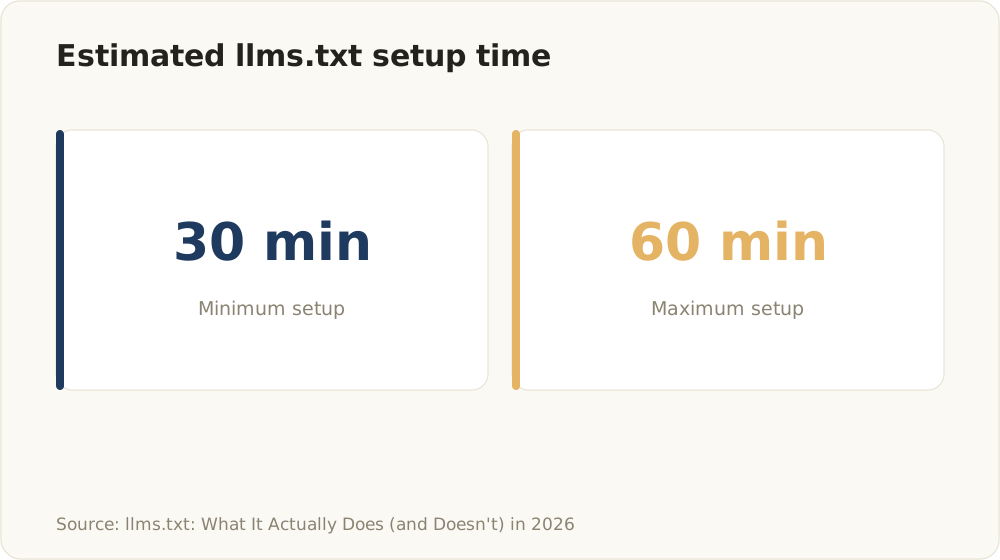
The guide recommends spending roughly 30 to 60 minutes to implement an llms.txt file properly.
You need no plugin, no generator, and no budget - just a text editor and access to your web root.
Step 1: Write the H1 and summary. Start with a single H1 containing your exact business or project name. Directly below it, add a blockquote with a 1-3 sentence factual description of what you do and for whom.
Step 2: Add H2 sections with link lists. Typical sections for a business site: Services, Key Information, Documentation, Contact. Under each, list links in the format - [Page Title](URL): one-line description. The description is optional but valuable - it tells the model why the page matters.
Step 3: Keep it strictly factual. No marketing superlatives, no pricing that goes stale, no competitor references. An LLM quoting “the world’s leading provider of amazing solutions” helps nobody. Write the way you would brief a new analyst: name, function, scope, evidence.
Step 4: Deploy and configure the server. Save the file as /llms.txt in the web root. Confirm the server returns HTTP 200 and the content type text/plain; charset=utf-8. This is where most implementations fail - more on that below.
Step 5: Link what actually matters. Point to documentation, FAQs, your about page, case studies, and service pages - the resources you would want an AI agent to read before describing you. Skip legal boilerplate, tag archives, and pagination.
A recurring warning from community discussions among practitioners: do not blindly trust auto-generated files from SEO plugins or online generators. Automation helps, but generators regularly produce files that misrepresent site priorities or contain formatting errors. Whatever tool you use, open the raw output and read it before you ship it.
A complete example llms.txt you can copy
Here is the shape of a minimal, realistic file. Build yours from the same pattern - one H1, one blockquote, then H2 link sections, with every link carrying a short factual description:
- Single H1 with your exact business name, for example
Acme Software Studio, as the first content line. - Blockquote summary directly beneath it, such as
> Acme Software Studio is a senior software studio building SaaS platforms, internal tools, and AI automation systems for growth-stage B2B companies. - A
## Servicessection: one Markdown link per offering, each in the form- [Service name](page-url): one-line description- for instance an AI agent development page, an MVP development page, and a custom software page. - A
## Key Informationsection: links to your about page, documented case studies, and an FAQ, each with a short description. - A
## Contactsection: a single link to your contact or scheduling page.
Note the structure: one H1, one blockquote, H2 sections, and every link carries a short factual description. That is the entire format. Resist the urge to add more - a focused file beats an exhaustive one.
llms.txt vs llms-full.txt: do you need both?
llms.txt works as a concise index: a map with links. llms-full.txt, by community convention, contains the actual full text of your most important pages concatenated into a single document at /llms-full.txt, designed for direct ingestion rather than navigation. Worth knowing: the original proposal never formally defined llms-full.txt - it emerged as a convention alongside optional Markdown page variants and context bundles.
When does llms-full.txt make sense? Primarily for documentation-heavy sites and API references, where a developer wants to feed an entire docs set into an LLM’s context window in one request. Docs platforms often ship both files for exactly this use case.
For most business sites, the standard llms.txt is enough. Your services pages and case studies do not need bundled ingestion - they need accurate pointers. And avoid the failure mode of dumping your entire site into one bloated file: a 2MB llms-full.txt full of navigation fragments and duplicate content serves models worse than a clean 5KB index. These files are conventions, not requirements. Add llms-full.txt only when you have the documentation-shaped problem it solves.
Common llms.txt mistakes (and how to fix them)
Most published llms.txt files fail on configuration, not content. These are the failure patterns worth checking - each framed as symptom, cause, fix.
1. Serving HTML instead of Markdown.
Symptom: the file looks fine in your browser, but the raw response contains <html> tags. Cause: your CMS or framework routes /llms.txt through its page renderer and wraps the content in your site template. Fix: serve the file statically, and always verify with the raw response - the browser render lies.
2. Wrong Content-Type header.
Symptom: the response header says text/html instead of text/plain; charset=utf-8. Cause: default server MIME mappings. Fix: add an explicit content-type rule for /llms.txt in your server or CDN configuration.
3. Soft 404s. Symptom: the URL returns HTTP 200, but the body contains a “page not found” template or redirects to your homepage. Cause: catch-all routing that swallows unknown paths. Fix: confirm the actual file content ships at the actual URL, with no redirect chain and no auth wall.
4. Dead or outdated links inside the file. Symptom: the file references pages you restructured months ago. Cause: nobody owns the file after launch. Fix: add llms.txt to your content release checklist and re-check links after every site restructuring.
5. Missing required H1 or blockquote. Symptom: the file starts with a link list or an H2. Cause: hand-editing without reading the spec. Fix: exactly one H1 with your business name as the first content line, blockquote summary directly beneath it.
6. Auto-generator artifacts. Symptom: broken Markdown syntax, escaped characters, or a file that just reformats your sitemap as bullet points. Cause: plugin output shipped without review. Fix: read the raw file after every regeneration. An llms.txt that duplicates your sitemap adds nothing - curation is the entire point.
How to test and validate your llms.txt
Validation takes five minutes and catches every mistake listed above.
First, fetch the raw file: curl -I https://yourdomain.com/llms.txt shows the status code and Content-Type header; curl https://yourdomain.com/llms.txt shows the actual body. You want HTTP 200, text/plain; charset=utf-8, and genuine Markdown - no HTML tags, no auth redirect.
Second, check the structure manually: exactly one H1, a blockquote summary beneath it, and working links. Open a handful of linked URLs and confirm none of them soft-404.
Third, automate the recurring checks. Our free Agent Ready Check tests your llms.txt alongside the rest of your agent-readiness stack - robots.txt AI crawler rules, Schema.org structured data, and Markdown readability for agents - in a single pass. That combined view matters because llms.txt only helps if crawlers can actually reach your site and parse your content.
Finally, re-validate after every meaningful content change. A stale llms.txt that points AI systems to dead pages is worse than no file at all.
Want to go one step further? Our free ebook Agentic SEO shows what a complete AI content pipeline that actually ranks looks like - from validated demand to quality gates.
FAQ
Does Google use llms.txt?
No. Google has stated that its AI Overviews and AI Mode require no special AI file, and it relies on regular crawling plus structured data instead. llms.txt has no effect on Google rankings today. Its potential value lies with the AI tools and agents that choose to read it.
Which AI tools actually read llms.txt?
Adoption is early and uneven. Some AI development tools, documentation platforms, and agent frameworks fetch the file at inference time, and Chrome’s Lighthouse now audits it under agentic browsing. No major LLM provider has confirmed it as a ranking or retrieval signal. Verify support per tool rather than trusting blanket vendor claims.
Can a bad llms.txt hurt my SEO?
No. Search engines ignore the file for ranking purposes, so even a broken llms.txt cannot damage your search visibility. The only real cost of a misconfigured file: AI tools that do read it receive wrong or useless data, which defeats the purpose of publishing it.
Do I need both llms.txt and llms-full.txt?
Usually not. The standard llms.txt covers most business sites. llms-full.txt bundles the full text of key pages for direct ingestion and mainly benefits documentation-heavy or API-focused sites. Add it only if you have that specific need.
Where must llms.txt be located and how should it be served?
The file belongs in your website root at /llms.txt, returning HTTP 200 without authentication, with the Content-Type header text/plain; charset=utf-8. The body must be genuine Markdown - a rendered HTML page at that URL fails the standard.
How do I test my llms.txt after creating it?
Fetch the raw URL with curl or view-source to confirm plain Markdown and the correct Content-Type, check every linked page for soft 404s and dead links, and verify the single H1 plus blockquote. A tool like the Agent Ready Check automates these checks together with your robots.txt and Schema.org setup.